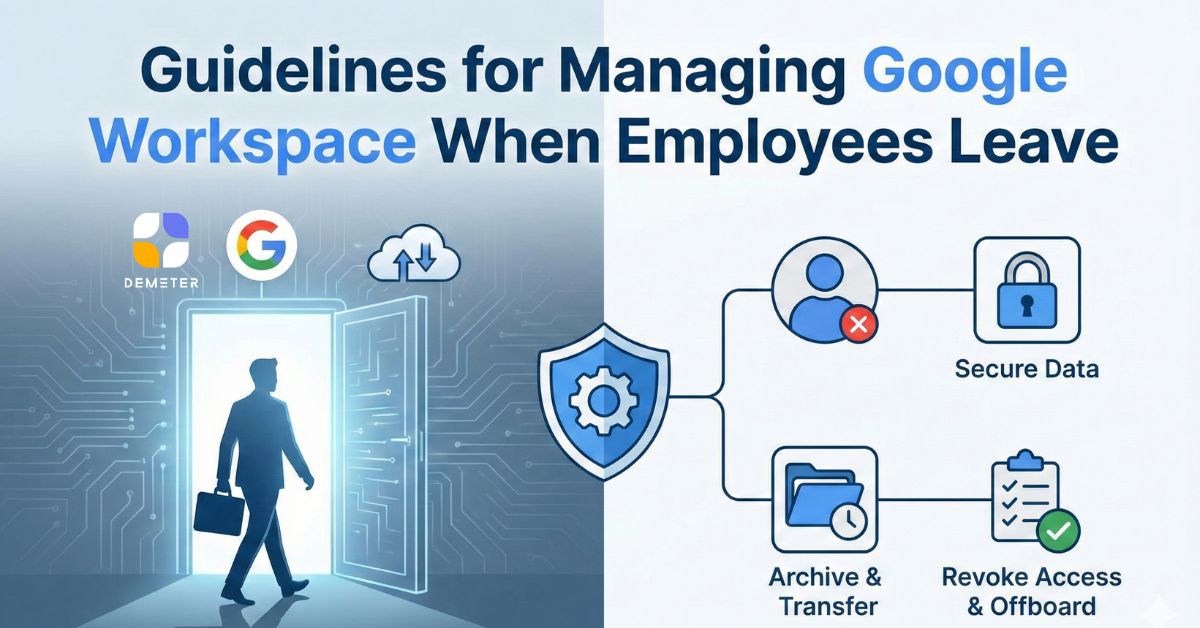
When an employee leaves—whether through resignation, termination, or internal transfer—organizations must manage their Google Workspace environment with precision. Failure to follow proper offboarding processes can lead to security risks, data loss, legal exposure, and operational disruption.
A well-designed Google Workspace offboarding workflow not only protects your company, but also demonstrates internal discipline and IT maturity. As a certified Google partner, DEMETER ICT helps organizations design and automate these processes so they are secure, compliant, and effortless.
Below are the recommended best practices any modern organization should follow.

1.1 Suspend the Account
When an employee leaves, the first action is to suspend the Google Workspace account. Suspension ensures that:
- The user cannot log in
- Existing email and Drive data remain intact
- No services are disrupted
This is safer than deleting the account, which permanently removes critical company information.
1.2 Enforce Device and Session Security
IT should:
- Sign the user out of all active sessions
- Revoke OAuth app tokens
- Remove mobile device access and wipe corporate data stored on BYOD devices
DEMETER ICT helps customers set up predefined security rules so these steps are executed instantly and automatically.
Employee Drive accounts hold high-value assets—contracts, client files, proposals, product documents, etc. To prevent data loss:
2.1 Transfer Ownership
Transfer Google Drive file ownership to a manager, team drive, or another permanent user.
2.2 Migrate Shared Drive Content
If the account was a Shared Drive manager, DEMETER ICT ensures that permissions remain intact and no team loses access to essential documents.
2.3 Archive for Compliance
Some industries require data storage for a fixed number of years. Using Vault, we help clients configure retention and legal holds so offboarding complies with regulatory frameworks.
3.1 Set Up Email Forwarding
Configure the mailbox to forward incoming emails to a supervisor or replacement employee to ensure business continuity.
3.2 Set an Automatic Out-of-Office Responder
Set a professional message informing external stakeholders of updated contact points.
Example:
“This account is no longer active. Please contact support@company.com for assistance.”
3.3 Delegate Inbox Access (Optional)
If necessary, delegate access to the mailbox so supervisors can complete pending tasks.
DEMETER ICT provides guidance so clients follow strict privacy rules and avoid inappropriate access.
Google Workspace accounts often integrate with:
- CRM (HubSpot, Salesforce)
- Project management tools
- HR systems
- Marketplace Secure Apps
- Cloud storage or BI platforms
IT must review and revoke external app connections to prevent unauthorized access.
DEMETER ICT’s audit framework helps customers document and control all connected systems so nothing is overlooked.
Employee turnover should not erase institutional knowledge.
5.1 Transfer Google Calendar Ownership
Reassign events, shared calendars, and scheduled meetings.
5.2 Backup Email & Drive Using Admin Tools or Backup Solutions
DEMETER ICT recommends automated backup solutions (e.g., Afi.ai, Backupify) to store point-in-time snapshots for compliance and audit purposes.
5.3 Document Workflows
We assist organizations in creating standardized offboarding SOPs and automate them using tools such as:
- Google Admin
- Identity Management (IDaaS)
- Workflow automation platforms
- Google Admin
Organizations typically choose one of the following:
6.1 Retain the Account Under a “Former Employee” License
Useful for long-term email forwarding and data storage.
6.2 Transfer All Data and Delete the Account
Recommended when all information is safely stored elsewhere.
6.3 Archive the Account (Cost Optimization)
DEMETER ICT helps clients minimize license cost by switching to low-cost archive SKUs rather than paying full price for inactive accounts.
Why Professional Offboarding Matters
A well-structured Google Workspace offboarding process prevents:
- Unauthorized access to sensitive data
- Loss of customer information
- Business interruptions
- Legal and compliance risks
- Wasted license costs
It also demonstrates to employees and customers that your IT governance is strong and secure.
Why Organizations Trust DEMETER ICT
As one of Thailand’s top Google partners, DEMETER ICT provides:
✔ Expert consulting on Google Admin controls and security
✔ Tailor-made offboarding SOPs for each organization
✔ Automation so IT teams spend less time on manual tasks
✔ Compliance guidance (PDPA, ISO 27001, and industry regulations)
✔ End-to-end Workspace lifecycle management
Our strength is not just implementing Google Workspace—it’s helping organizations operate professionally, securely, and efficiently throughout the employee lifecycle.

Employee offboarding is a critical but often overlooked part of IT security. With the right Google Workspace practices—and expert support from DEMETER ICT—organizations can ensure that every offboarding process is safe, seamless, and compliant.

About the Author
Mr. Carl Aldrich Wang is an International Marketing Specialist at DEMETER ICT, a Premier Partner of Google and Zendesk in the APAC region. DEMETER ICT serves over 4,600 business customers across APAC, including Greater China, with the largest customer base for Google and Zendesk services in the region. His expertise is in customer experience and global digital strategy with work that emphasizes aligning business goals with customer needs, enabling organizations to strengthen engagement, streamline workflows, and drive measurable growth.

Highly efficient enterprise email and collaboration suite, enabling your team to collaborate effortlessly and help every business soar!
DEMETER ICT — Official Google Premier Partner
Officially Authorized Google Workspace Exclusive Reseller for Asia Pacific and Greater China